Real-time detection
Processes object detection continuously from a live webcam feed.
Personal computer vision project
Learning Python, OpenCV, and modern object detection through a real-time vehicle detection and tracking pipeline.
The original idea was to detect tow trucks entering an apartment complex and eventually notify residents. As I worked through the problem, the project became a broader exercise in building a solid real-time object detection and tracking pipeline.
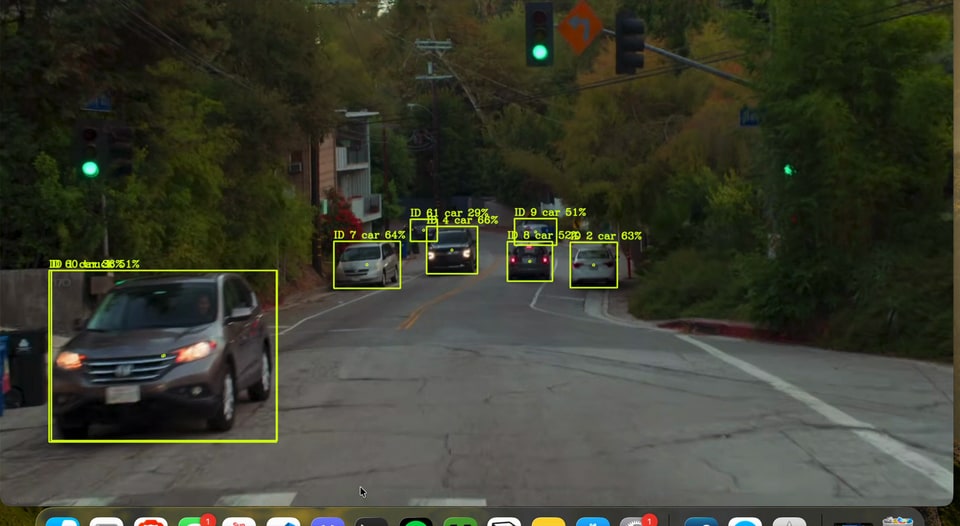
The finished application processes a webcam feed, detects selected vehicle classes with Ultralytics YOLO, draws confidence-scored boxes, calculates center points, and assigns persistent IDs as objects move through the frame.
Processes object detection continuously from a live webcam feed.
Uses YOLO tracking to maintain persistent IDs across frames.
Displays selected classes such as cars, trucks, and buses.
Shows the model confidence associated with each detection.
Uses OpenCV to highlight detected objects in the frame.
Calculates and displays object center coordinates.
01
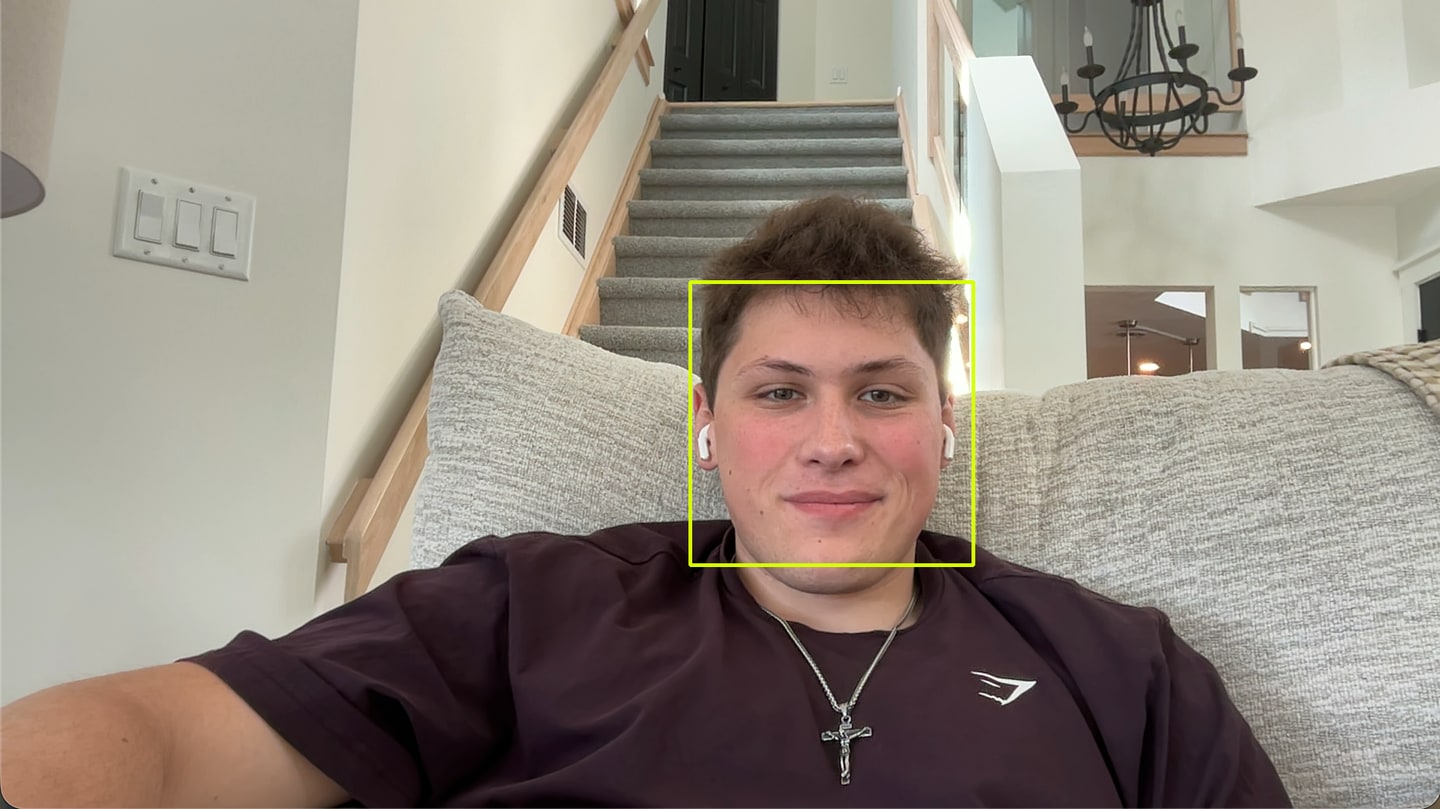
The first milestone: loading OpenCV, detecting a face with a Haar Cascade, and drawing a first detection box.
02
A misunderstanding of video frames opened hundreds of image windows—a major debugging lesson.
03
Debugging made it clear that OpenCV continuously processes webcam frames instead of creating individual images.
04
The final milestone: Ultralytics YOLO detections receive persistent tracking IDs while moving through the scene.
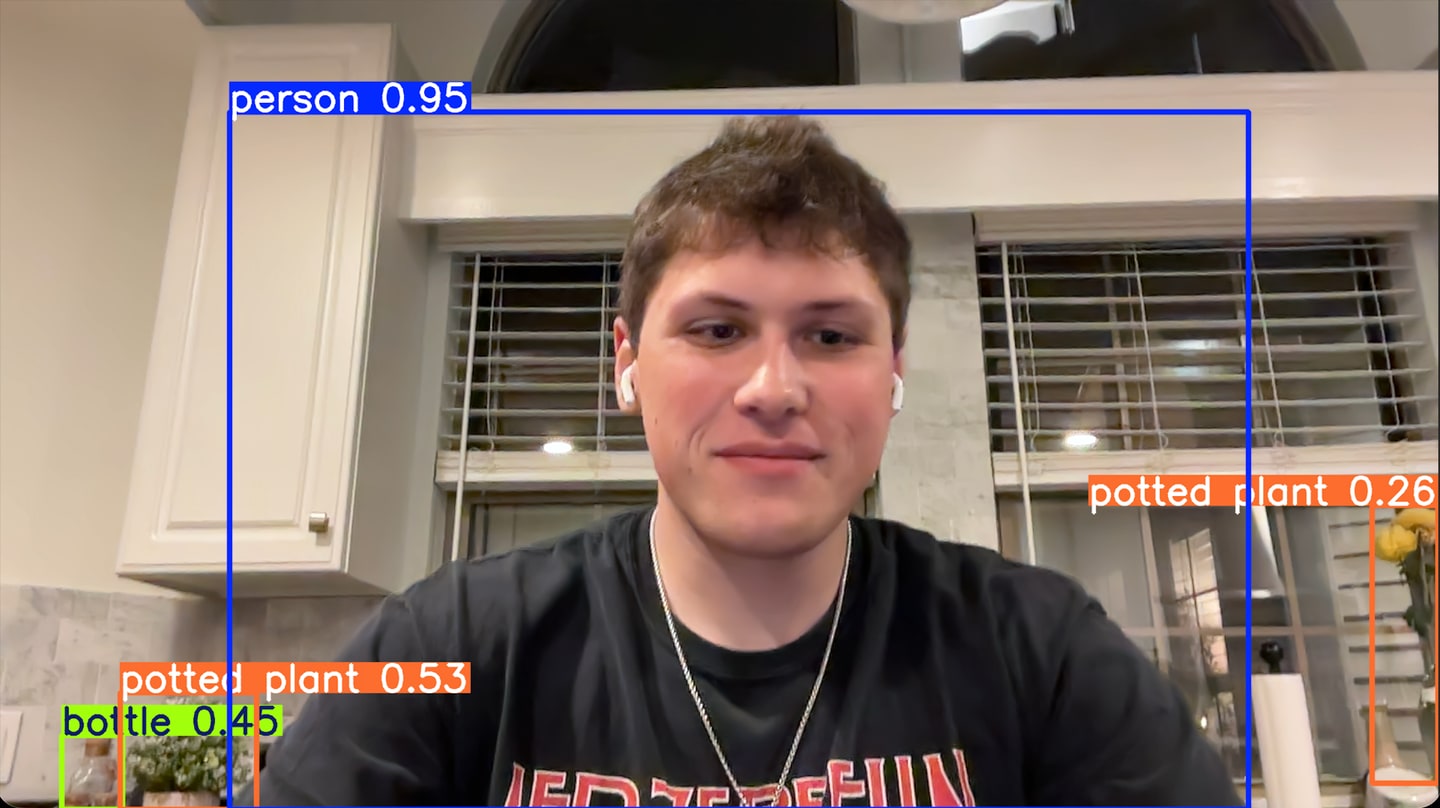
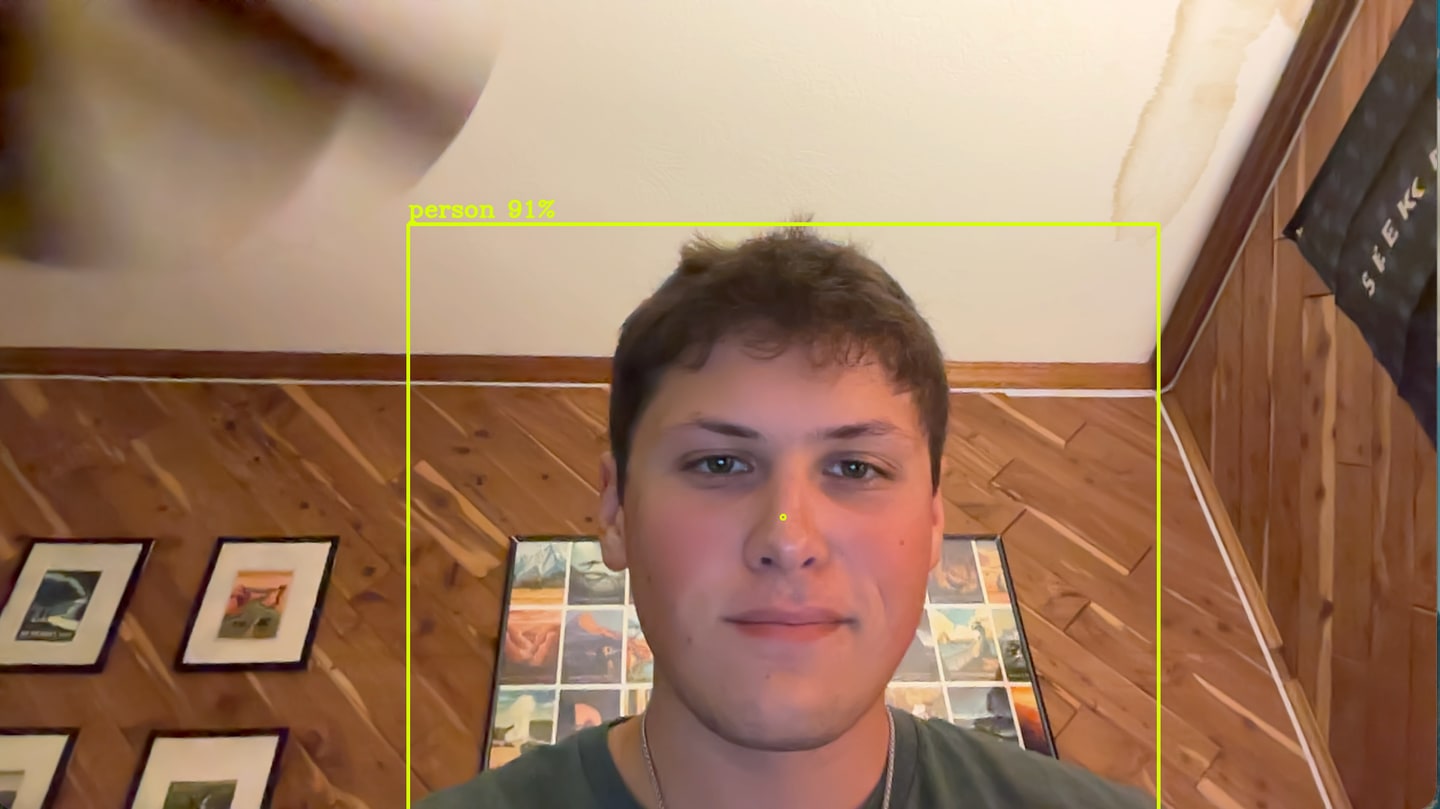
Learning how image coordinates map to boxes, center points, and frame annotations.
Understanding that a live feed is a continuous stream rather than a sequence of static image windows.
Learning to interpret pretrained-model detections, classes, and confidence values.
Moving from identifying an object in one frame to following it through a scene with a persistent ID.
Although TowTruck Alert began with a specific tow-truck use case, it evolved into a much broader exploration of computer vision. The project gave me a practical foundation for future AI and vision work: how a frame becomes a detection, and how a detection becomes something you can follow over time.
Explore the repository ↗