Team project

Rocky

A course-based AI platform that gives students managed access to AI services and chat, while giving instructors and administrators control over users, courses, permissions, API keys, and usage limits.

Role
Frontend Developer & Software Engineering Intern
Timeline
February 2026 – August 2026
Context
Kent State course project → summer internship
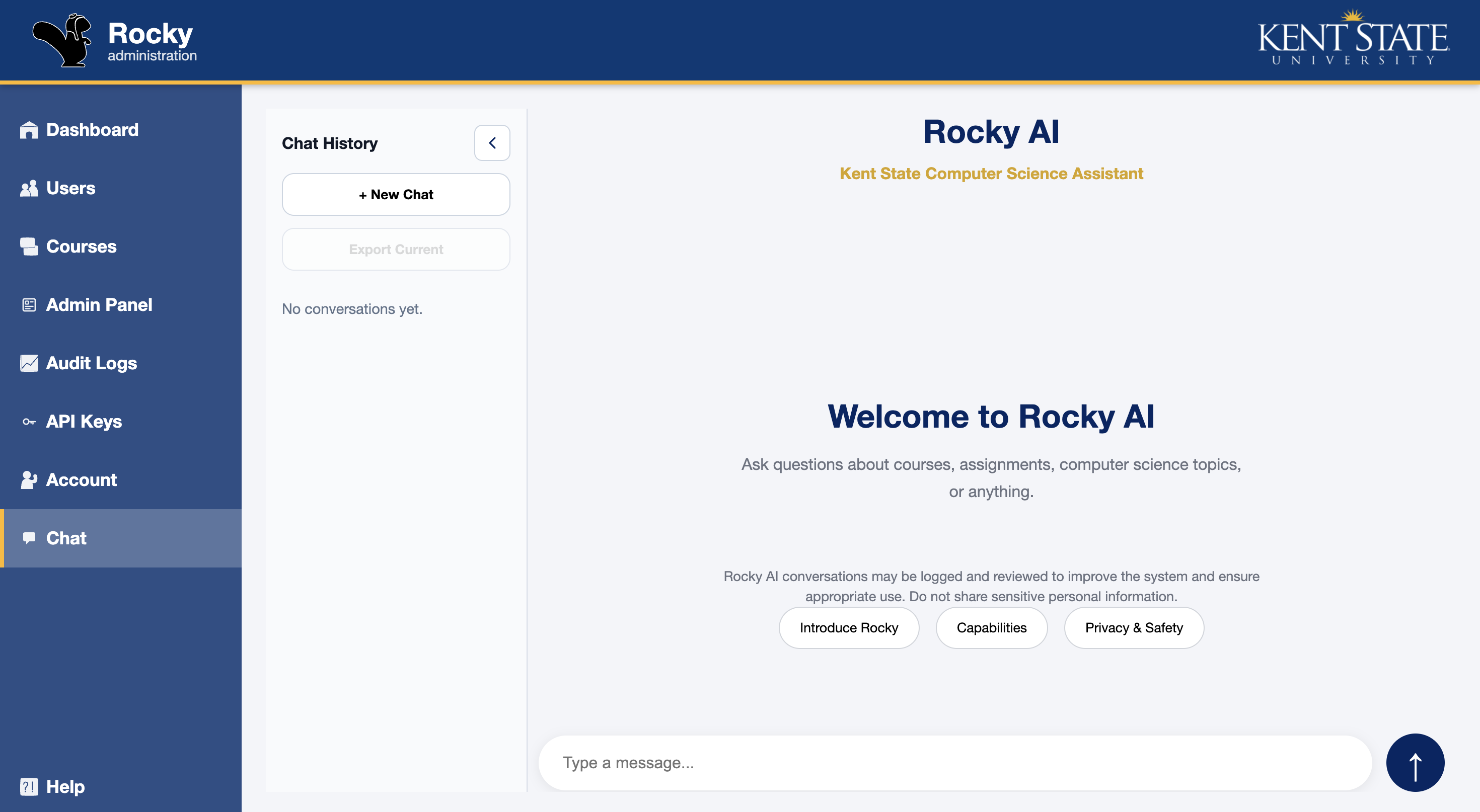
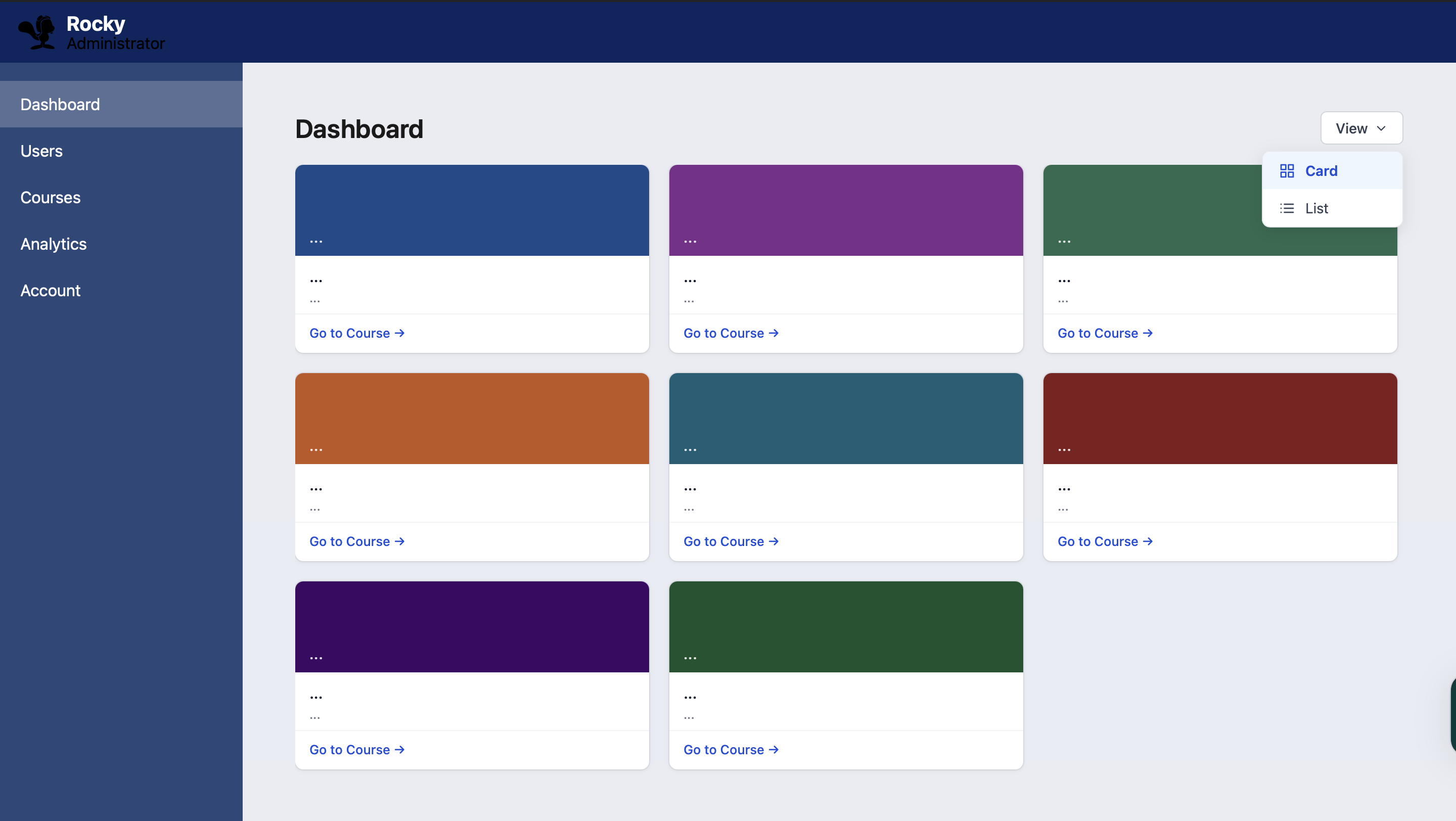
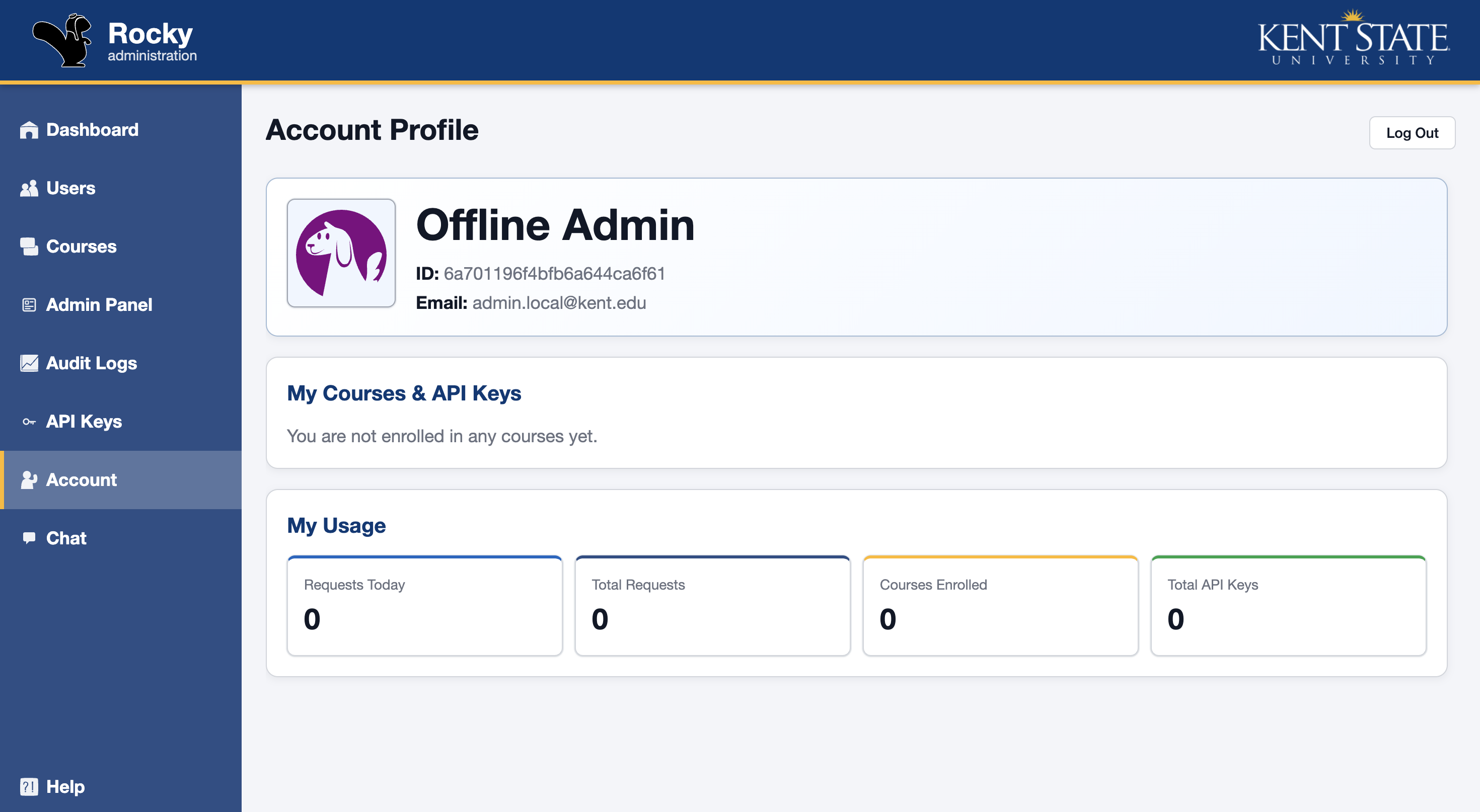
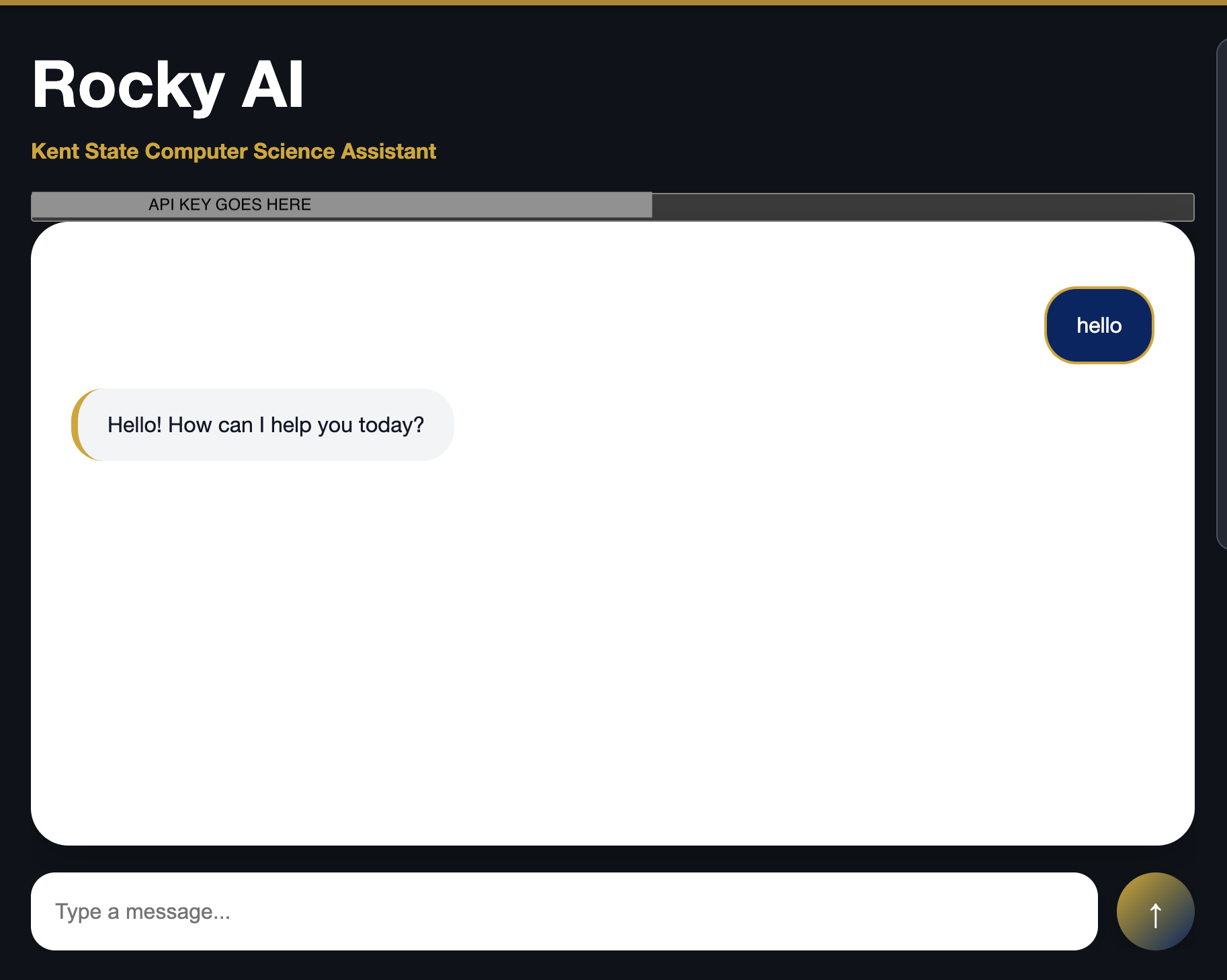
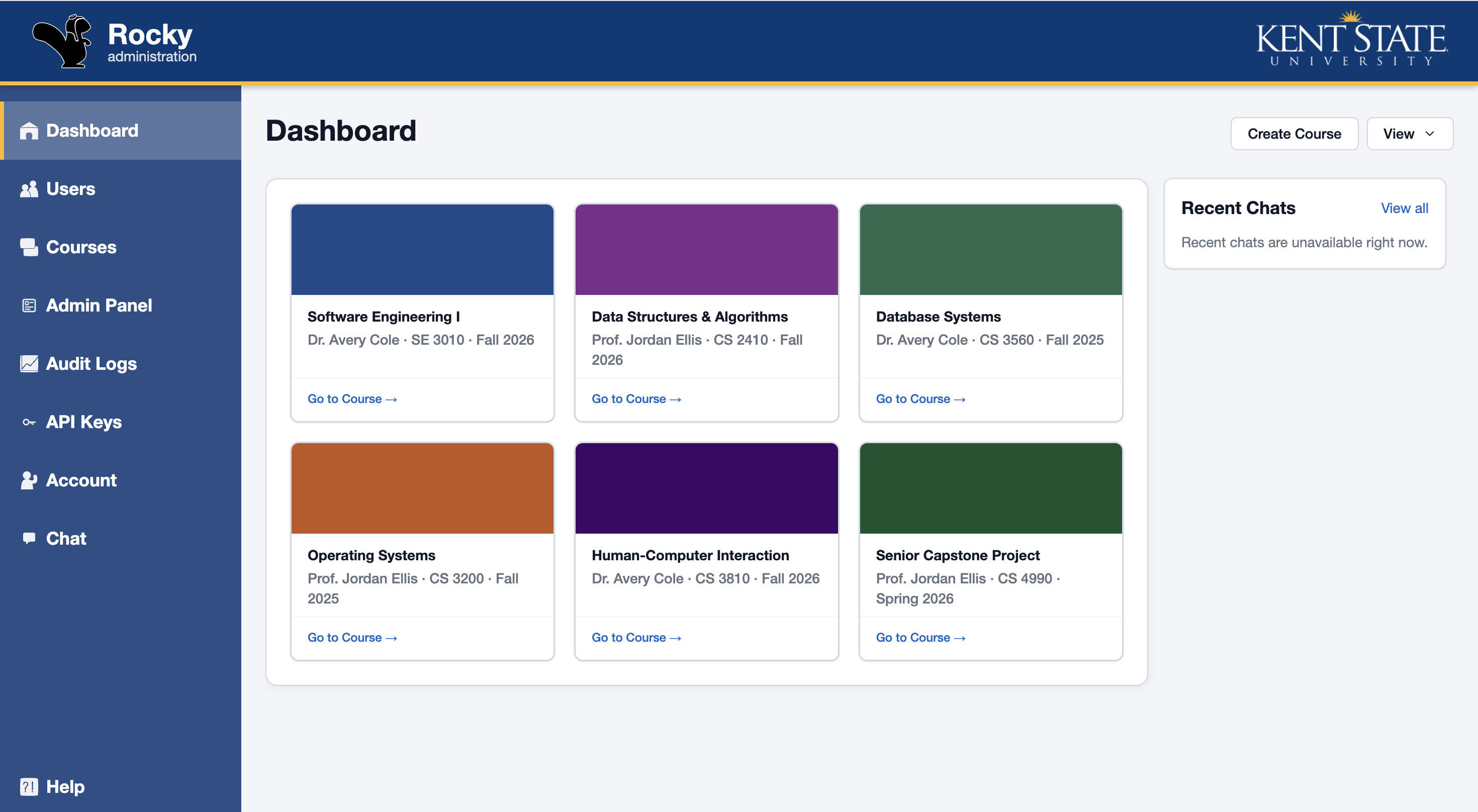
Rocky student dashboard Rocky AI chat interface

Overview

Students may need AI services for courses and projects, but unrestricted direct access creates practical problems around API-key distribution, security, usage limits, cost, and permissions. Rocky gives students a central place to work while instructors and administrators retain oversight.

It organizes people around courses and roles, manages API keys and access limits, and makes AI chat and practical guidance available from the same application.

My role

I led much of Rocky’s frontend development, building the main application layout, role-based navigation, chat interface, administrative views, and documentation experience. As the project continued into a summer internship, I also took on authentication integration and selected Flask backend work needed to support user-specific chat access.

Rocky was a team project. Teammates primarily developed major systems including the central API server, AI/LLM service, and other backend infrastructure; I integrated the user-facing experience with those services.

Timeline

  1. February 2026

    Rocky began as a Kent State Software Engineering course group project. I focused heavily on frontend development, interface design, and the application shell.

  2. Spring 2026

    I built and refined user-facing views, navigation, authentication flows, and a first documentation experience while collaborating with teammates responsible for core API and model services.

  3. Summer 2026

    The project continued as a summer internship. My responsibilities expanded into chat integration, selected Flask and API-key work, administration tools, and deeper documentation.

  4. August 2026

    My work on Rocky concluded after a six-month period of building, integrating, testing, and documenting the platform.

Contributions

SvelteKit · TypeScript · CSS

Frontend architecture & navigation

I developed a large portion of the SvelteKit and TypeScript frontend: the application frame, reusable views, sidebar navigation, active states, and responsive layout refinements. The structure covered dashboard, users, courses, analytics, account, chat, help, and admin areas, with navigation changing appropriately by role.

Microsoft authentication · sessions

Authentication experience

I designed the FlashLine-inspired login interface and integrated the frontend with Rocky’s existing Microsoft authentication flow. I worked with session-user data, frontend authentication state, and local-development fallbacks to make authentication function correctly across the application. The underlying Microsoft OAuth system was part of the team’s shared backend infrastructure.

Chat UI · Markdown · API integration

AI chat, from prototype to product

I first built a separate Svelte chat prototype to explore message design, API-key authentication, and request/response behavior with Gemini for testing. I then brought that learning into Rocky’s user-facing chat: authenticated requests, loading and error states, Markdown responses, automatic scrolling, starter prompts, and conversation-history support where implemented.

Flask · API keys · REST APIs

Chat access & service integration

To support chat access, I completed selected Flask changes that ensured a user-level chat key existed after account creation or Microsoft sign-in. The key was associated with the user as a personal owner and used to prevent authenticated users from entering chat without the needed access. I connected the frontend through Rocky’s API and chat proxy rather than directly to the team-managed model service.

Documentation UX · role-aware UI

Help, API docs & administrative views

I turned Help into a clearer documentation hub with resource cards, category-based guidance, Markdown content, and previous/next navigation. I also built beginner-oriented API-key and user-management guides, developer examples, and the role-protected Admin Panel entry and interface, leaving administrative logs clearly as future work.
Project evolution

These comparisons show how Rocky’s interface developed during the project, from early working screens to a more cohesive application experience.

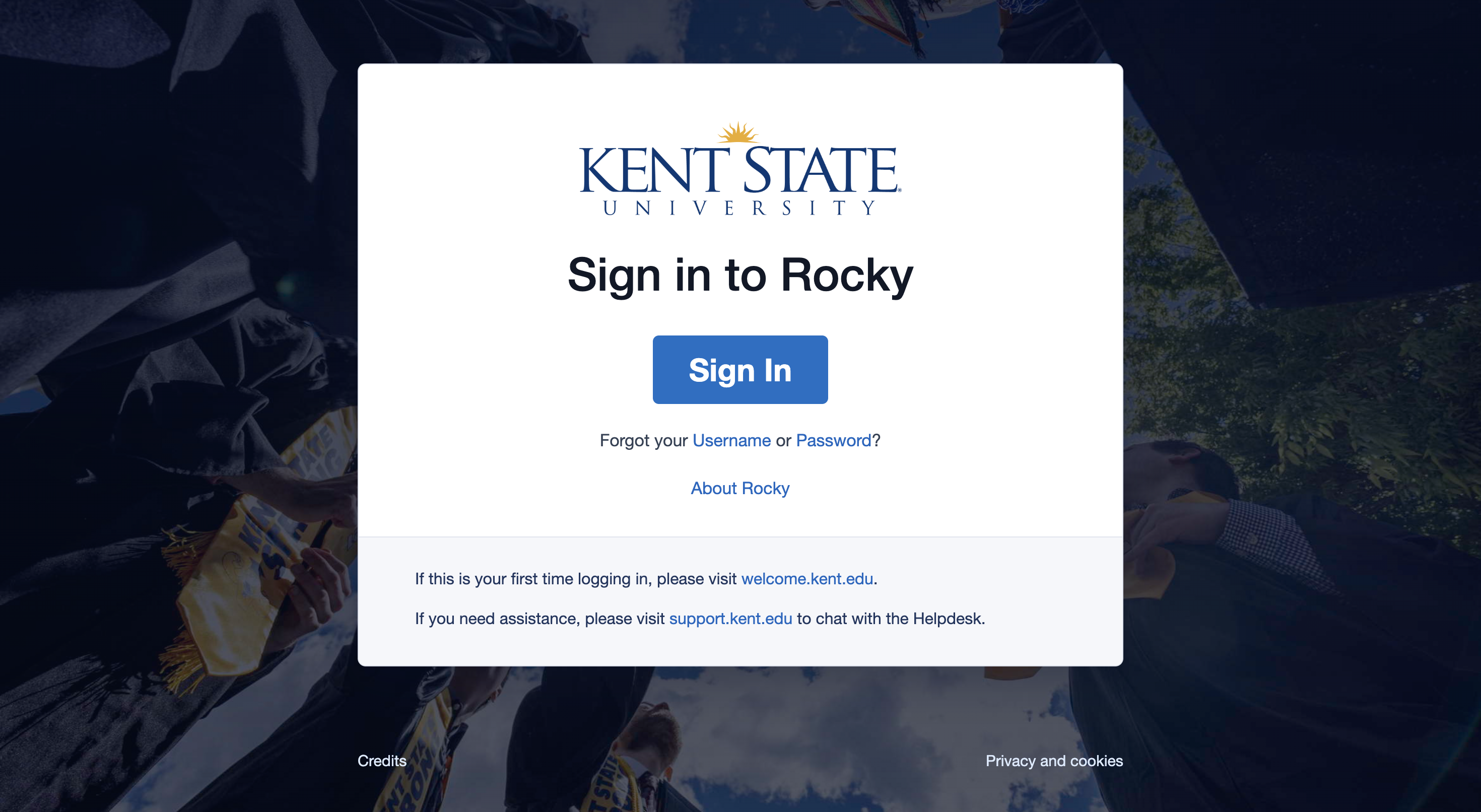
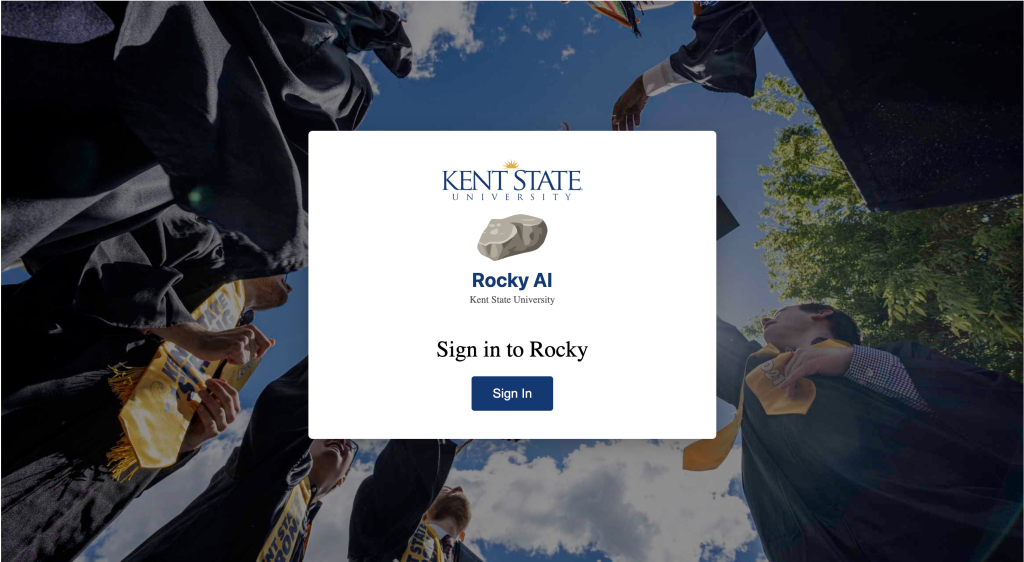
Login

Updated the login experience with clearer branding, improved layout, and a more polished entry point.

After: Login interface
Before: Login interface

Dashboard

Refined the dashboard structure, navigation, spacing, and visual hierarchy.

After: Dashboard interface
Before: Dashboard interface

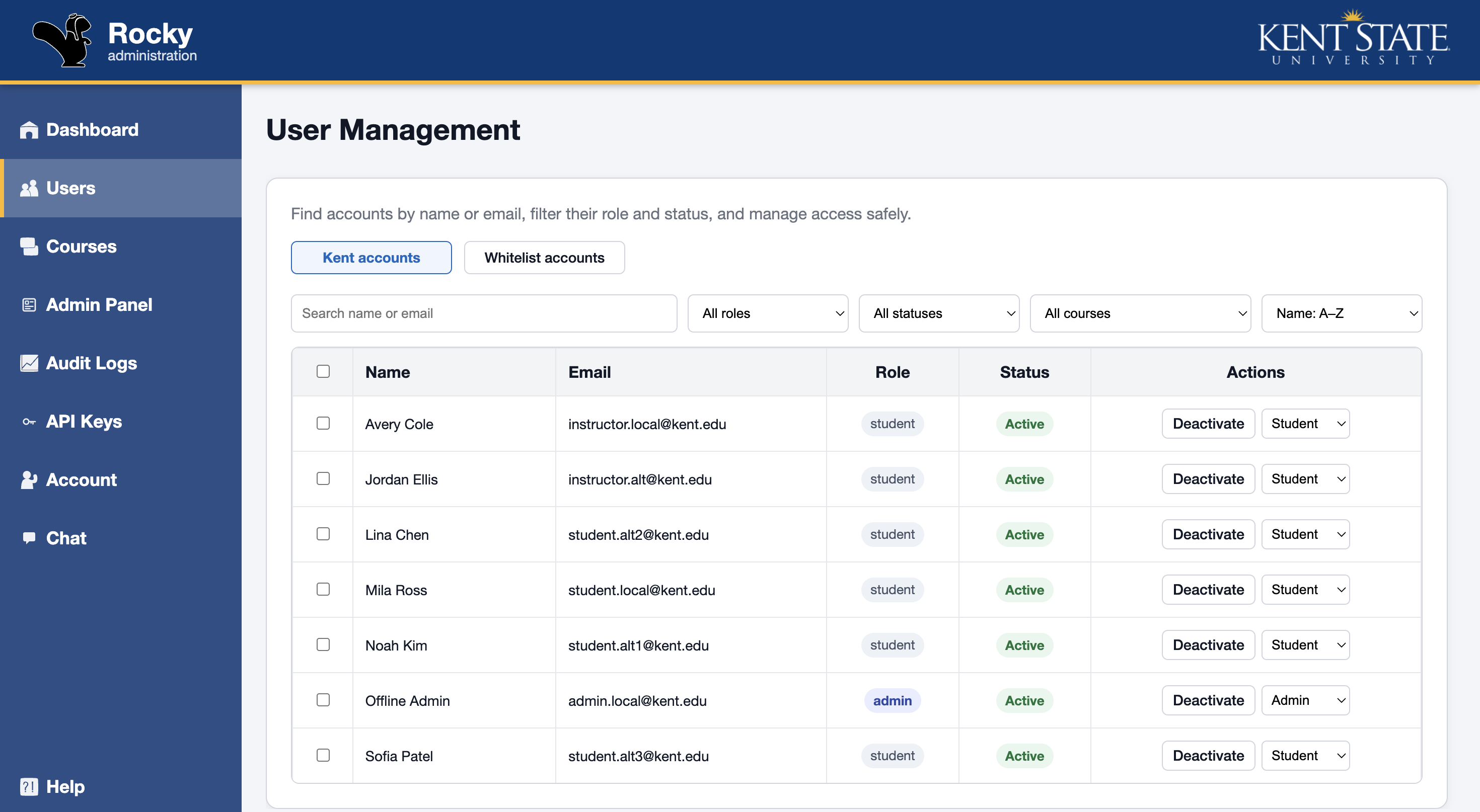
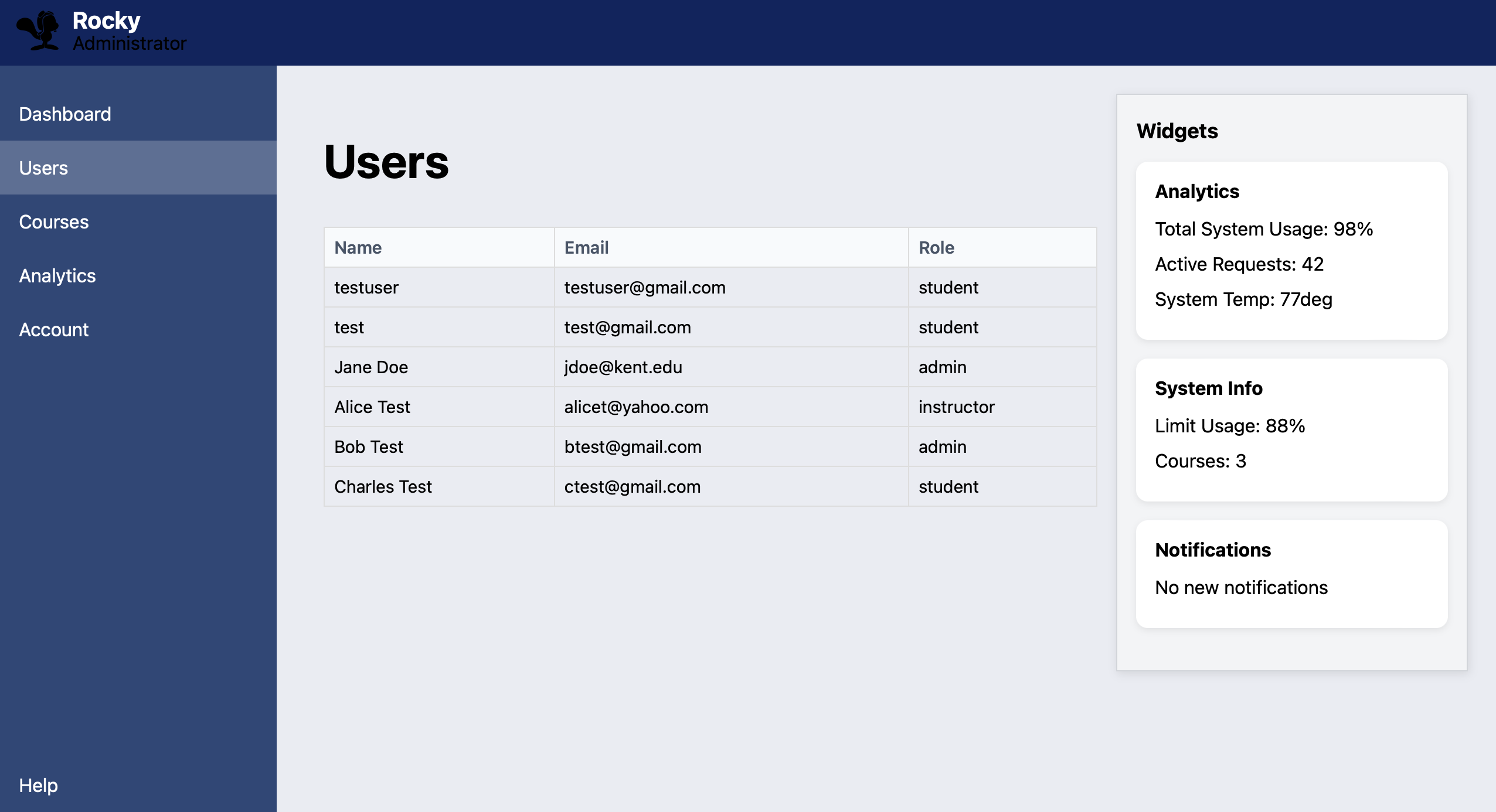
User Management

Expanded the user-management interface with clearer account data and improved administrative controls.

After: User Management interface
Before: User Management interface

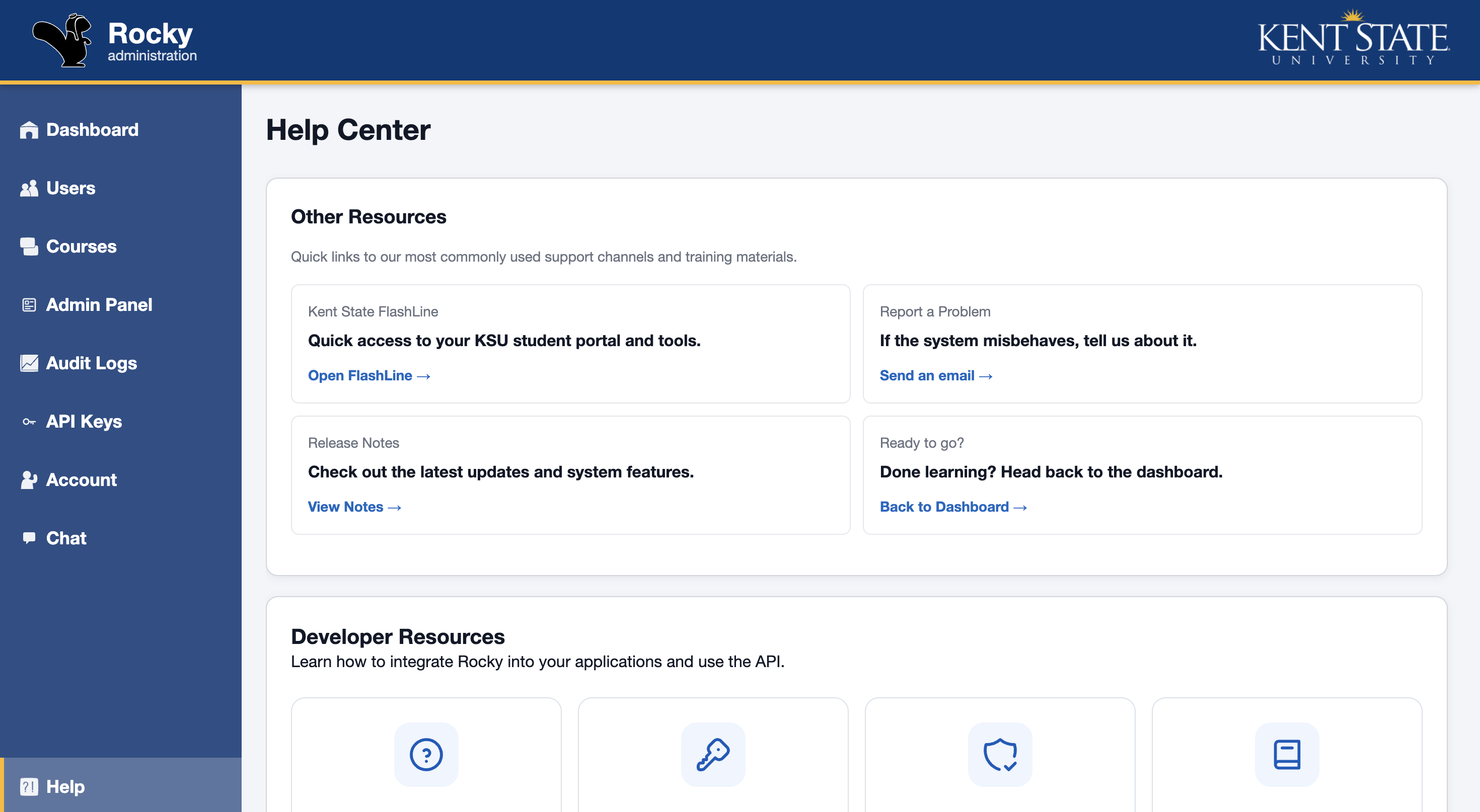
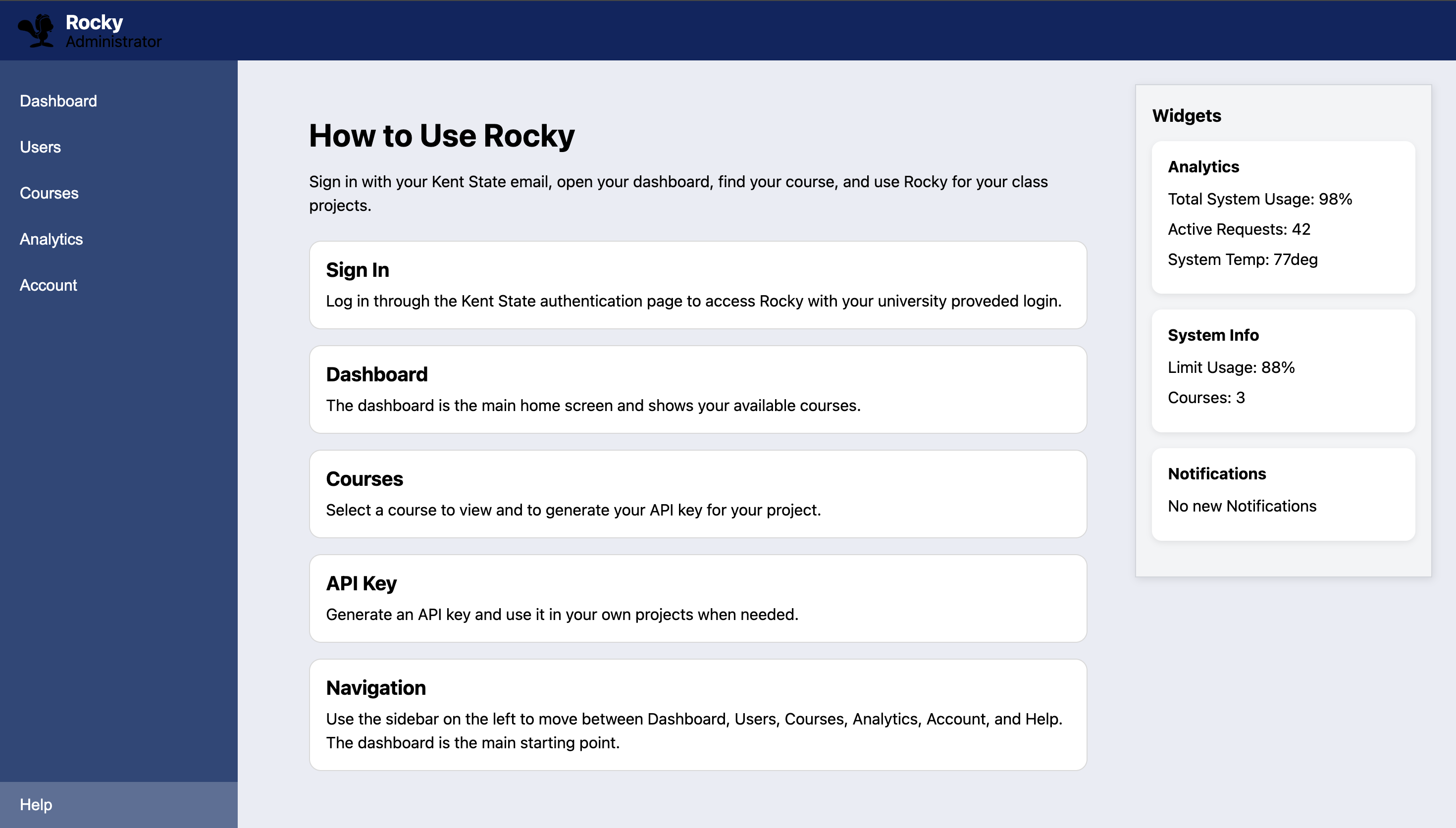
Help and Documentation

Rebuilt the help experience around Markdown documentation, developer resources, and practical code examples.

After: Help and Documentation interface
Before: Help and Documentation interface

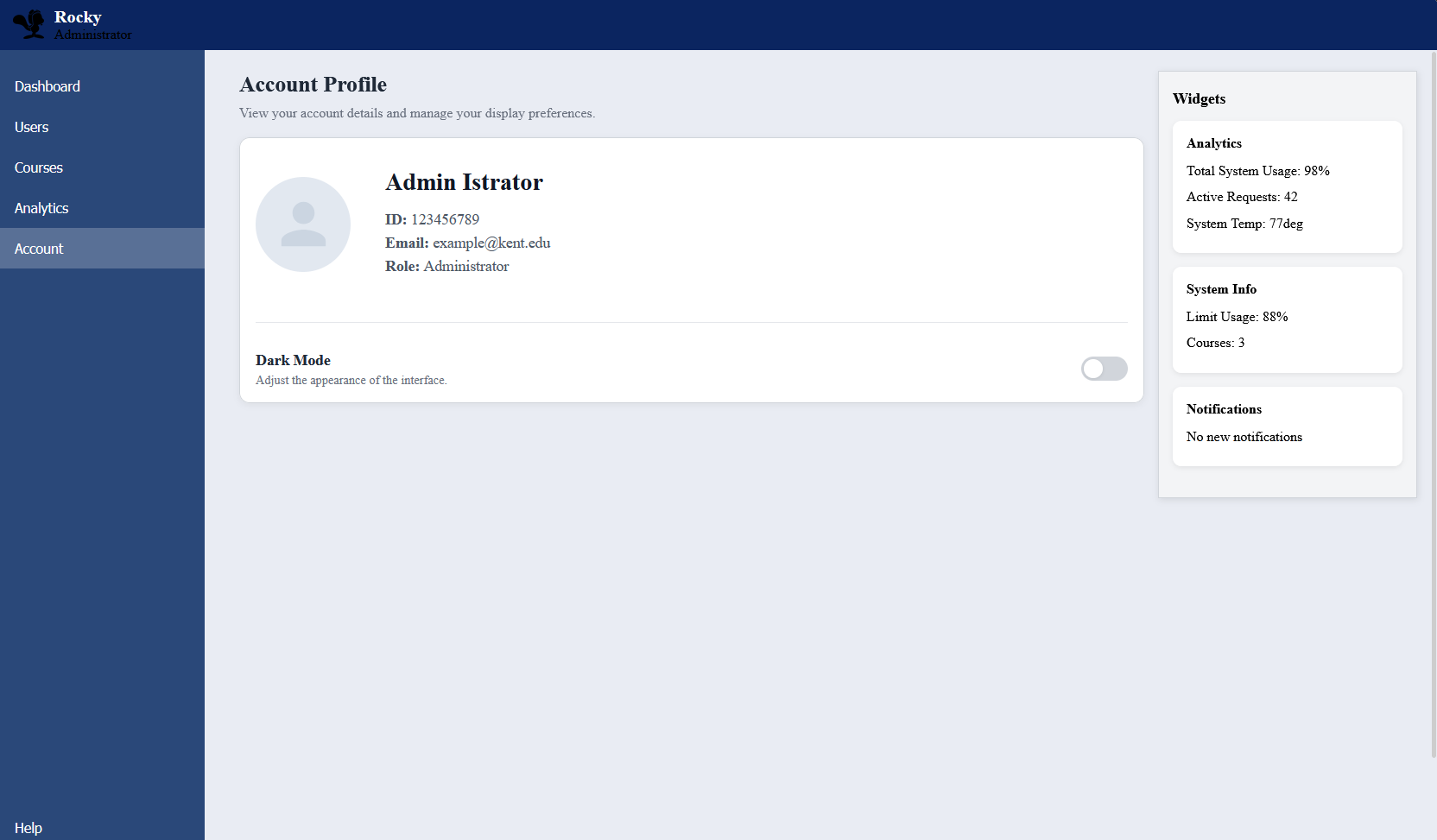
Account

Improved account information, API-key visibility, and overall page organization.

After: Account interface
Before: Account interface

Chat

Developed the chat interface with starter prompts, Markdown responses, conversation history, and mobile support.

After: Chat interface
Before: Chat interface

Architecture

User
↓
Rocky frontend
↓
Rocky server
  • Authentication and sessions
  • API-key validation
  • Application API
  • Database access
↓
Granite LLM service
↓
Rocky server
↓
User

Rocky hosted the frontend and handled authentication, API-key validation, application requests, and database access. Approved AI requests were sent from Rocky to the Granite LLM service, and responses returned through Rocky to the user. Granite was not directly exposed outside the Rocky API.

Engineering challenges

Role-aware interface behavior

Different users needed different navigation and administrative access. I used role-aware sidebar entries and views to keep administrative tools out of standard user flows.

Multi-service local development

Rocky involved frontend, Flask API, chat, and model services. I learned to investigate refused connections, health endpoints, environment values such as ROCKY_WEB_HOST, and local configurations using Mongita.

A chat interface that feels usable

The chat needed to authenticate requests, present messages clearly, render Markdown, report errors, scroll at the right time, and stay separate from the underlying model service.

Keeping a growing frontend maintainable

As more views arrived, I moved styles into appropriate CSS files, reused patterns, and corrected layout inconsistencies so the interface stayed coherent.

Technology

Worked with directly

  • SvelteKit
  • Svelte 5
  • TypeScript
  • JavaScript
  • HTML
  • CSS
  • Python
  • Flask
  • REST APIs
  • Markdown rendering
  • Microsoft authentication integration
  • Git
  • GitHub

Project infrastructure

  • MongoDB
  • Mongita for local development
  • Granite model service
  • Team-managed API and chat services

The early chat prototype used Gemini only for interface experimentation. Rocky’s integrated application used the team-managed Granite model service.

Outcomes & learning

Concrete outcomes

  • Delivered a working multi-view frontend for a team software project.
  • Added an integrated, authenticated AI chat experience.
  • Implemented role-aware navigation and an administrator-facing entry point.
  • Connected frontend features across API, authentication, and chat-service boundaries.
  • Created beginner-friendly API and account-management documentation.
  • Continued the project from a semester course into a summer internship.

What I learned

  • Building a larger application with reusable SvelteKit and TypeScript patterns.
  • Integrating a frontend with Flask APIs, sessions, and user-specific API keys.
  • Designing a chat experience that handles asynchronous states clearly.
  • Debugging a local environment made up of several services.
  • Working through Git branches, merges, and team-owned service boundaries.
  • Writing technical guidance for both beginners and developers.

← Back to all projects