Academic workspace
I can set up courses and weekly meeting times, then keep course tasks, exams, class sessions, notes, notebooks, and uploaded study materials with the course they belong to.

Private academic workspace
A private workspace for school and notes.
Active Development
I built this private web app to keep my courses, assignments, notes, and notebooks in one place that fits the way I actually organize school.
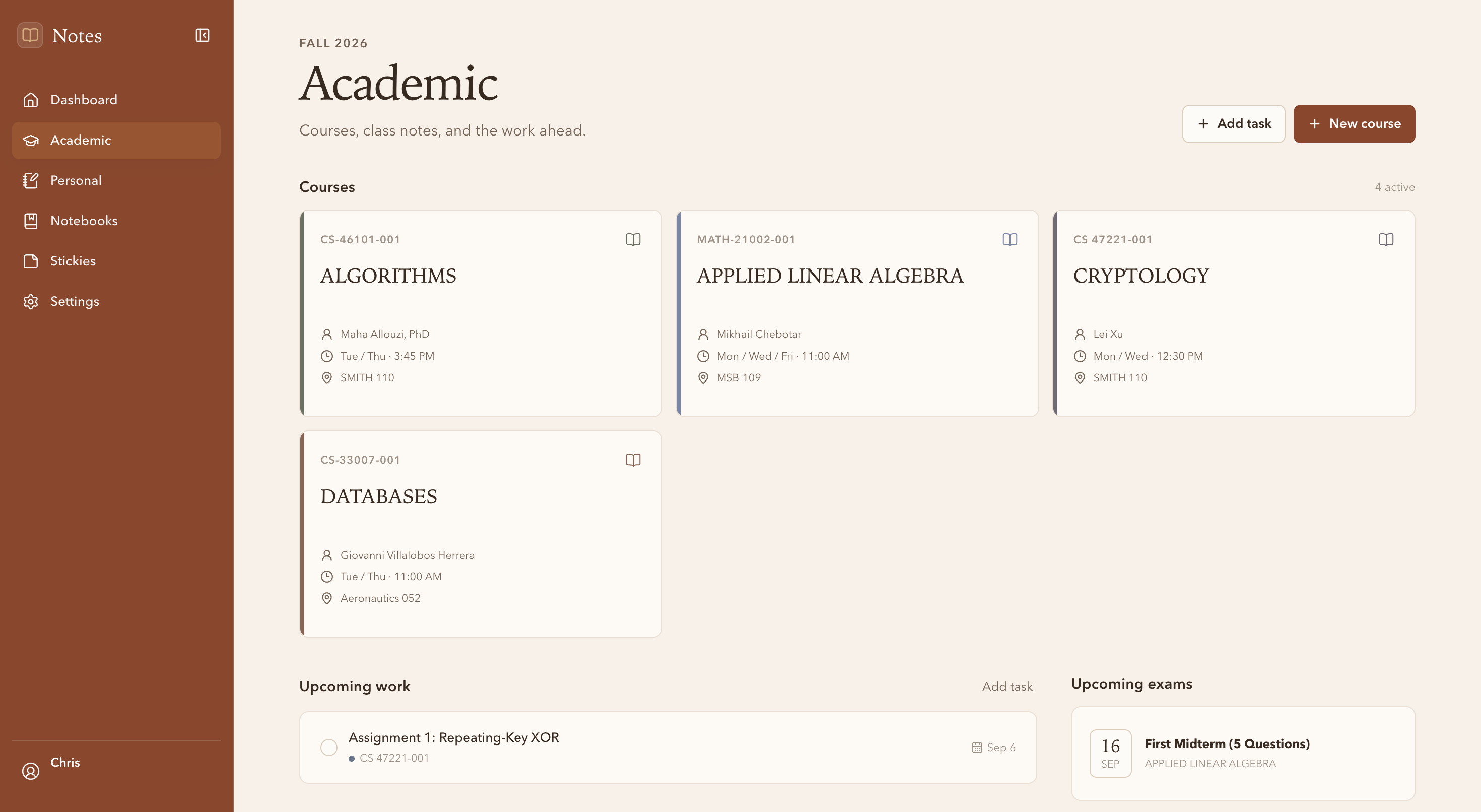
Notes App is a private web app I built for my own academic workflow. It brings my course schedule, course tasks, exams, personal tasks, quick Stickies, notes, notebooks, and uploaded study materials into the same place.
I actually use it for school. I can check what is coming up, open a course note, write down a quick reminder, or continue a notebook without searching through several apps.
My notes, assignments, course information, scanned pages, and reminders were spread across different places. They are all part of the same school routine, so I wanted to experiment with keeping them together.
Building it myself also means I can change the software around the way I work. When my workflow changes or I notice something getting in the way, I can update the app instead of changing my habits to fit another tool.
I can set up courses and weekly meeting times, then keep course tasks, exams, class sessions, notes, notebooks, and uploaded study materials with the course they belong to.
Personal tasks and notes have their own area, separate from schoolwork but still easy to reach from the same app.
Notes feel like continuous documents with normal text selection and formatting. Slash commands add or change headings, nested lists, checklists, quotes, code, tables, and dividers.
Typed notebook pages use the same continuous editor as notes, and notebooks can also contain scanned images or pages from an imported PDF. I can add, delete, and reorder pages on desktop or mobile.
I use small color-coded Stickies for reminders and ideas that do not need a full note. They can be pinned, edited, or deleted.
I can choose from ten color palettes and use system, light, or dark mode depending on where I am working.
The editor is designed to feel like one continuous document rather than a stack of separate blocks. Underneath, Tiptap and ProseMirror preserve headings, nested lists, checklists, quotes, code, tables, dividers, and other rich content in a structured JSONB document instead of treating the entire note as plain text.
That structure keeps normal writing and text selection natural while supporting rich formatting and slash commands for inserting or changing content types. Markdown and TXT files become normal editable documents when imported, and notes can be exported back to Markdown.
Notes and typed notebook pages save automatically. A short debounce waits until I pause typing so the app is not constantly updating the database, queues newer changes while a save is running, and handles pending work when I leave the page. Save and Retry controls remain available as a fallback.
There is no public registration. I control which accounts are created, and users must sign in through Supabase Auth before they can reach the application.
PostgreSQL Row Level Security (RLS) makes sure each account can only access its own information, and anonymous database access is denied. Images and PDFs stay in private Supabase Storage and are opened through temporary signed URLs instead of permanent public links.
The PostgreSQL database connects semesters, courses, meetings, tasks, notes, attachments, notebooks, and notebook pages instead of storing everything in one flat list. PDF.js displays private PDF notebook pages in the browser, and Playwright tests important user flows.
Building Notes App has helped me understand how authentication, relational database design, Row Level Security, private file storage, and autosaving work together in a real application. It has also made me think more carefully about how different parts of an app can work with the same underlying data.
One of the most useful parts of this project is that I use it for school. When something takes too many clicks or does not work the way I expect, I notice it quickly. I can make a change, use it again in my normal workflow, and see whether I actually made it better.
The Academic page keeps active courses, upcoming assignments, and exams together.
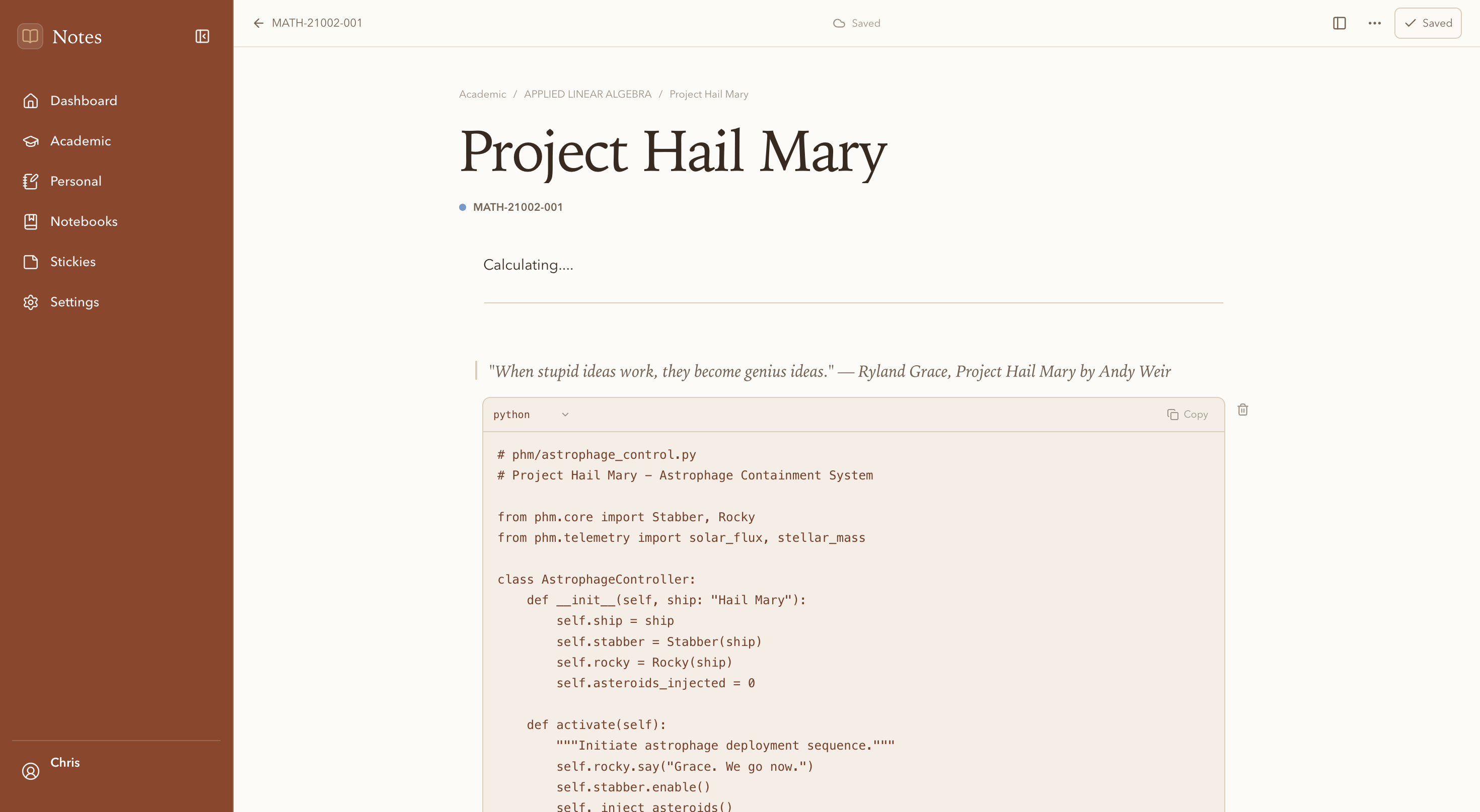
A course note using a quote and Python code block, with the current save status visible.
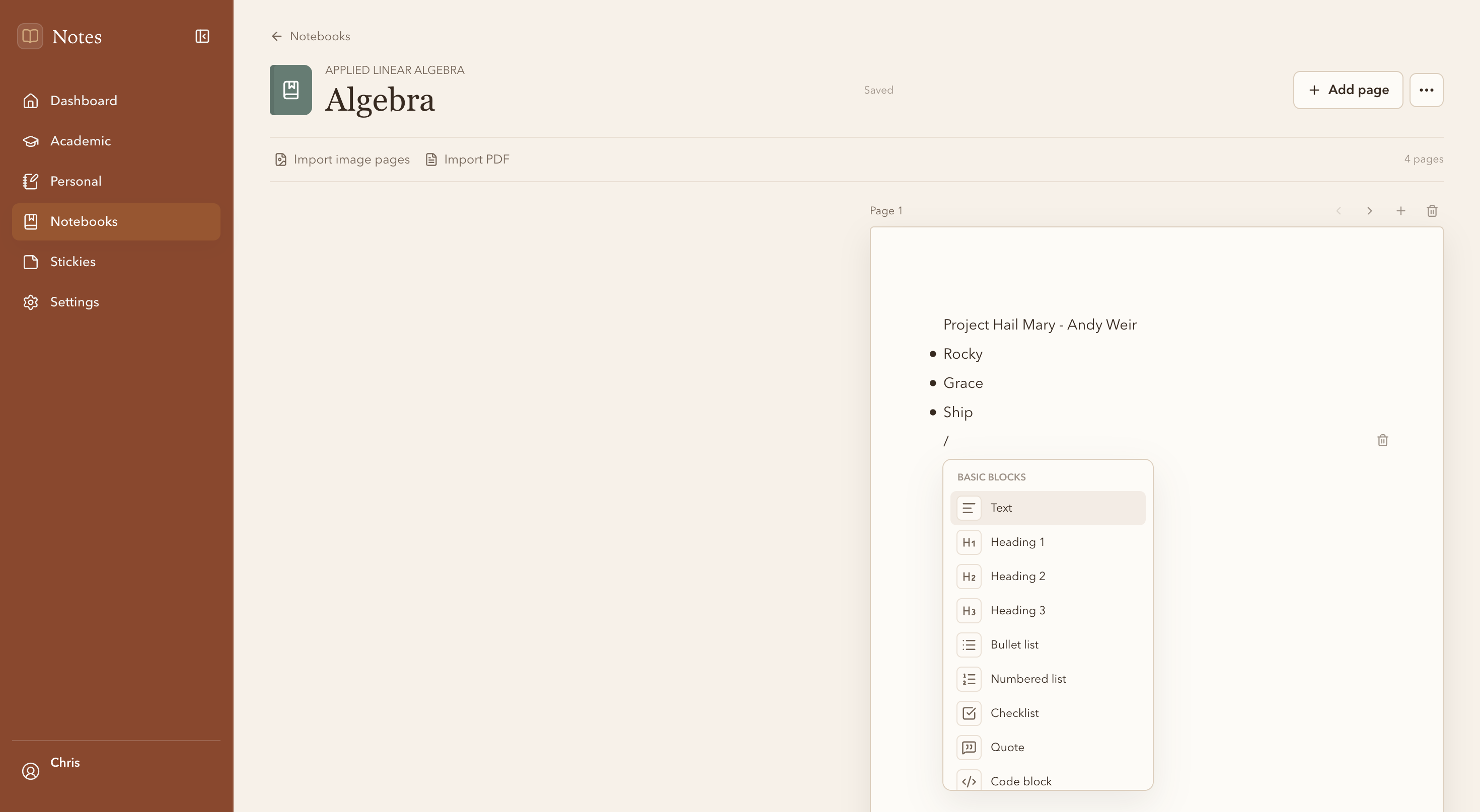
A typed notebook page with the slash-command menu open and controls for importing scanned images or a PDF.
Notes App is an active, private project. I keep using it for school, noticing what gets in the way, making changes, and trying those changes in my normal routine. That cycle is what guides the project more than a fixed feature list.